

Services
Manage Services
There are features and functions used in Arista NetVisor UNUM and Insight Analytics that are common throughout the user interface (UI). Please refer to the Common Functions section for more information on the use of these functions and features.
NetVisor UNUM Manager provides for the set up and configuration of Services settings for switches. You need to select a switch.
For more details, please refer to the NetVisor OS and NetVisor OS Configuration Guides at www.pluribusnetworks.com/support/technical-documentation.
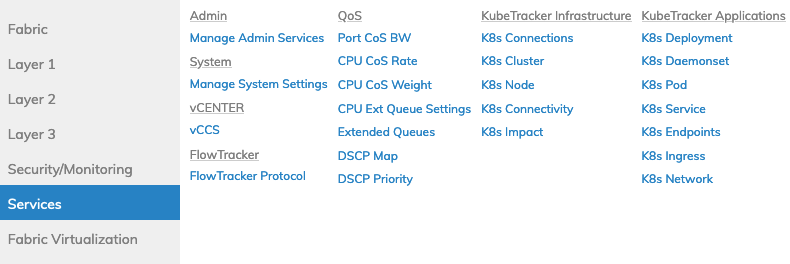
Manager Services Dashboard
Selecting Manager → Services displays all Services functions within NetVisor UNUM. These include:
•ADMIN – Administration Services
•SYSTEM – System Settings
•VCENTER – vCenter Connection Service
▪VCCS
•QOS – Quality of Service Settings
•KubeTracker Infrastructure – Kubernetes Infrastructure Functions
•KubeTracker Applications – Kubernetes Application Functions
•FlowTracker – FlowTracker Configuration